
The Dell DP61N optical drive is a portable optical drive that supports USB 2.0 interface and can read CD and DVD discs.
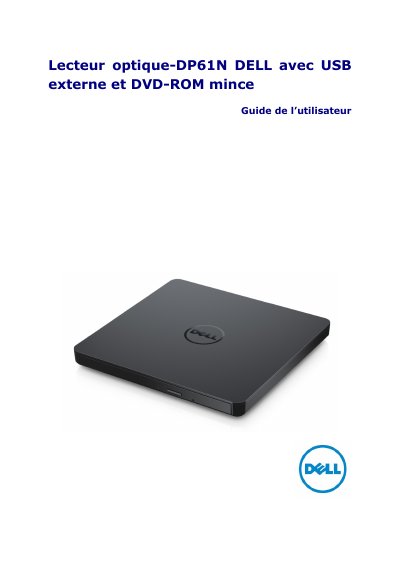
This is the French user guide for the Dell DP61N, an external slim DVD-ROM optical drive that connects to a computer through a USB cable (600 mm) and needs no separate power adapter. The drive reads CDs and DVDs only, with a tray-type loading mechanism, an activity indicator, an eject button and an emergency eject hole.
The guide covers the drive parts (front and rear panels), inserting and removing discs, connecting the drive to a computer, troubleshooting, and disc and drive care. It ends with a specifications section listing interface, supported disc formats, read speeds, power consumption, dimensions and weight, followed by regulatory compliance information (FCC/CE) and Dell support contact details. This manual is written in French.
| Interface | USB 2.0 (480 Mbit/s) |
|---|---|
| External (host) data transfer rate | USB 2.0 (480 Mbit/s) |
| Internal (drive) interface | T13 ATA/ATAPI-8, MMC-6, INF-8090i v8 |
| CD read speed | 24x Max CAV |
| DVD-ROM read speed | 8x Max CAV (single layer/dual layer) |
| DVD-RAM read speed | 6x max CAV |
| Power supply voltage | +5 V +/-5%, ripple below 100 mVp-p |
| Power consumption | 113 mA standby, 700 mA continuous read, 800 mA seek |
| Acoustic noise | Less than 50 dB at 0.25 m from the bezel and 0.45 m above |
| Dimensions | Width 144 mm, depth 137.5 mm, height 14 mm |
| Weight | Approximately 200 g |
| MTBF | 60,000 POH |
| USB cable length | 600 mm |
It reads CDs and DVDs only, including the CD-R/RW, DVD-R/RW/RAM/+R/+RW/+R DL/-R DL and M-DISC (DVD+R SL) families, as well as audio CD, CD-ROM, CD-I FMV, Photo-CD, Video CD and DVD-ROM.
No. The drive is powered from the computer's USB port, so no power adapter is required.
Turn off the computer, insert a small-diameter rod or stiff wire such as an unfolded paperclip of about 1.2 mm into the emergency eject hole and press firmly; the tray comes out about 10 mm.
CD-R/RW and CD-ROM reading is rated at 24x Max CAV.