
OptiPlex 3050 Small Form Factor Quick Start Guide
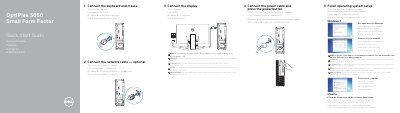
This guide helps you set up your Dell OptiPlex 3050 Small Form Factor computer. Connect peripherals like keyboard, mouse, display, and power. If using a discrete graphics card, connect the display to it. Complete OS setup by following on-screen instructions. The guide also lists ports and features for reference.
The back of the guide includes product support links, regulatory information, and a diagram of the computer’s ports and connectors for easy reference.
| Computer model | OptiPlex 3050 SFF |
|---|
Connect the display to the discrete graphics card.
Follow the instructions on the screen to finish setup.