
The Dell Latitude 15 3000 Series Quick Start Guide provides instructions on how to connect the power adapter, finish operating system setup, enable security and updates, and connect to a network.
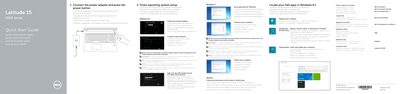
This two-page quick start guide for the Dell Latitude 15 3000 Series (computer model Latitude 15-3560) covers connecting the power adapter, finishing operating system setup, setting a Windows password, connecting to a network, and protecting the computer. It also points to Dell apps and support resources.
The guide lists features including the camera, microphone, power button, security-cable slot, VGA, USB 2.0, memory card reader, optional fingerprint reader, status lights, speakers, touchpad, headset connector, two USB 3.0 connectors, HDMI, network and power connectors, battery, battery release latch, and service-tag label. It notes that more information is in the Owner’s Manual at dell.com/support/manuals.
| Computer model | Latitude 15-3560 |
|---|---|
| Regulatory model | P50F |
| Regulatory type | P50F001 |
| USB 3.0 connectors | 2 |
| Fingerprint reader | Optional |
Connect the power adapter and press the power button.
Enter the password for the wireless network access when prompted.
The guide points to the Owner’s Manual at dell.com/support/manuals.