
Dell Latitude 12 7000 Series 2-in-1 Quick Start Guide
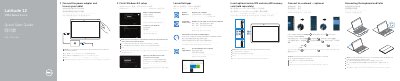
This Dell Latitude 12 7000 Series 2-in-1 quick start guide covers initial setup for the Latitude 12 7275 tablet. It shows how to connect the power adapter and turn on the tablet, finish Windows 8.1 setup, connect to a network, and sign in with a Microsoft account or create a local account. It also explains inserting optional micro-SIM and microSD cards, connecting and disconnecting the keyboard and Folio, locating Dell apps, and identifying the tablet's features. Product support and regulatory contact information is included.
| Computer model | Latitude 12 7275 |
|---|---|
| Micro-SIM reader | LTE/HSPA+ models only |
| Memory card reader | MicroSD |
| Charging connector | USB Type-C connector / Charging connector |
| Security slot | Noble security-cable slot |
Connect the power adapter, then turn on the tablet.
Dell recommends inserting them before powering on the tablet.
The keyboard backlight turns on for 2 seconds when the tablet-docking pins and keyboard-docking pins are aligned correctly.
Dell provides support at Dell.com/support and manuals at Dell.com/support/manuals.