
The Dell Latitude 12 7000 Series 2-in-1 Quick Start Guide.
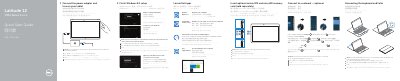
This quick start guide for the Dell Latitude 12 7000 Series 2-in-1 describes initial setup for the tablet. It covers connecting the power adapter, turning on the tablet, completing Windows 8.1 setup, enabling security and updates, connecting to a network, and signing in with a Microsoft account or creating a local account. It also notes that inserting the micro-SIM card and microSD card is recommended before powering on.
The guide explains how to insert the optional micro-SIM and microSD card, connect and disconnect the keyboard and Folio, and check that the docking pins are aligned. It lists tablet features including cameras, USB Type-C connectors, card readers, and dock pins, and provides Dell support, contact, and regulatory links. The listed computer model is Latitude 12 7275; the regulatory model is T02H and the regulatory type is T02H001.
| Computer model | Latitude 12 7275 |
|---|---|
| Operating system setup | Windows 8.1 |
| Regulatory model | T02H |
| Regulatory type | T02H001 |
| Micro-SIM reader | LTE/HSPA+ models only |
| USB Type-C connector | USB Type-C connector / Charging connector |
| Memory card reader | MicroSD memory card reader |
| Security slot | Noble security-cable slot |
Dell recommends inserting the micro-SIM card and the microSD card before powering on the tablet.
The keyboard backlight turns on for two seconds when the tablet-docking pins and keyboard-docking pins are aligned correctly.
The guide covers finishing Windows 8.1 setup.
Dell lists Dell.com/support, Dell.com/support/manuals, and Dell.com/support/windows.