
Dell Inspiron 3650 Computer Quick Start Guide

The document describes how to connect the keyboard and mouse, network cable, power cord, and display.
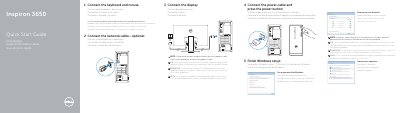

Dell Inspiron 3650 Computer Quick Start Guide - cover page
Brand
DELL
Category
Desktops
Document type
Quick Start Guide
Language
English
Pages
2
File format
PDF
File size
192 KB
Published
25 November, 2023
Updated
25 November, 2023
MD5 checksum
0FEF5A5DE6A449DEB25817C520F4A9D9

About this manual

The Dell Inspiron 3650 Quick Start Guide provides essential instructions for setting up the desktop computer, including connecting peripherals and completing the initial software configuration.

The document outlines the physical layout of the device, identifying various ports and buttons to help users correctly connect their display, network, and power cables.

What's inside

  • Connect the keyboard and mouse
  • Connect the network cable
  • Connect the power cable
  • Connect the display
  • Finish Windows setup
  • Features

Specifications

USB 3.0 ports2
USB 2.0 ports4
Input Voltage100 V Ca–240 V Ca
Frequency50 Hz–60 Hz

Frequently asked questions

Where should I connect the display if the computer has a discrete graphics card?

Connect the display to the discrete graphics card connector.

Where should I connect the display if my computer has a discrete graphics card?

Connect the display to the discrete graphics card.

What should I enter when connecting to a secured wireless network?

Enter the password for the wireless network access when prompted.

How many USB 3.0 ports does the computer have?

The computer has two USB 3.0 ports.

Download PDF (192 KB)

More DELL Manuals


View all DELL manuals →