
A quick start guide to Dell laptops.
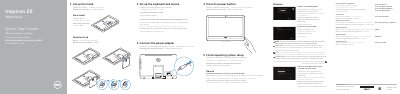
This quick start guide for the Dell Inspiron 20-3059 computer covers setting up the keyboard and mouse, connecting the power adapter, setting up the easel or pedestal stand, and pressing the power button. It also describes finishing operating system setup for Windows or Ubuntu, enabling security and updates, connecting to a network, signing in to a Microsoft account or creating a local account, and locating Dell apps in Windows.
The guide lists features such as the microphone, camera, media-card reader, USB 3.0 and USB 2.0 ports, headset, power-adapter, network, HDMI-in and audio-out ports, power button, screen-off button, brightness-control buttons, and optional optical drive. It provides Dell support and contact links for product manuals, Windows, Linux, and regulatory compliance.
| USB 3.0 ports | 2 |
|---|---|
| USB 2.0 ports | 2 |
| HDMI-in port | Included |
| Audio-out port | Included |
| Optical drive | Optional |
| Media-card reader | Included |
Set up the keyboard and mouse, and see the documentation that shipped with them.
When prompted, enter the password for the wireless network access.
Dell provides product support and manuals at Dell.com/support and Dell.com/support/manuals.
Follow the instructions on the screen to finish setup.