
Inspiron 24 7000 Series Quick Start Guide
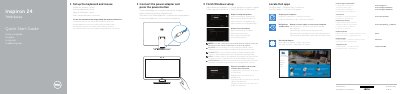
This Dell Quick Start Guide covers the Inspiron 24 7000 Series computer, including setup steps for the keyboard, mouse, power adapter, and Windows. It also explains how to connect to a network, sign in to a Microsoft account, and register the computer.
The guide lists product features such as microphones, an optional Intel RealSense 3D Camera, USB ports, HDMI-out and HDMI-in ports, and a media-card reader. It includes support information for Dell.com/support, Dell Backup and Recovery, and Dell Help & Support.
| Optional camera | Intel RealSense 3D Camera |
|---|---|
| USB 3.0 port with fast charging | 1 |
| USB 3.0 ports | 2 |
| USB 2.0 ports | 2 |
See the documentation that shipped with the keyboard and mouse.
Connect the power adapter and press the power button.
Enter the password for the wireless network access when prompted.