
Wyse 3000 Series Thin Client Wyse 3040 Quick Start Guide
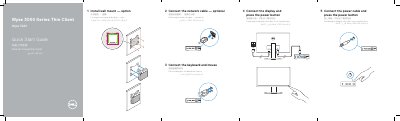
Quick start guide for the Dell Wyse 3040 thin client in the Wyse 3000 Series. It shows optional wall-mount installation, optional network cable connection, keyboard and mouse connection, display connection, and power cable connection with the power button.
The guide lists the system features, including +5V power adapter input, two DisplayPorts, USB 2.0 and USB 3.0 ports, a 10/100/1000 Base-T network port, a lock receptacle, power button and light, and a universal headset jack. It also gives Dell support and manual links, contact information, regulatory and safety information, and regulatory model N10D / regulatory type N10D001.
| Power adapter input | +5V |
|---|---|
| DisplayPort | 2 |
| USB 2.0 ports | 2 |
| Network port | 10/100/1000 Base-T |
| USB 3.0 port | 1 |
| USB 2.0 port | 1 |
| Universal headset jack | 1 |
It has two DisplayPorts.
It has a 10/100/1000 Base-T network port.
It uses a +5V power adapter input.
Dell lists support at Dell.com/support and manuals at Dell.com/support/manuals.