
The Dell Vostro 15 3000 Series Quick Start Guide provides information on how to set up and use your Dell Vostro 15 3000 Series laptop. This guide covers the following topics: Connecting the power adapter and pressing the power button, finishing Windows 10 setup, enabling support and protection, connecting to your network, signing in to your Microsoft account or creating a local account, and creating recovery media for Windows.
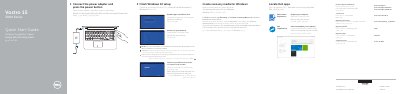
This is Dell's Quick Start Guide for the Vostro 15 3000 Series laptop, listing the computer model as Vostro 15-3561 with regulatory model P47F and regulatory type P47F007. The two-page guide walks through first-time setup: connecting the power adapter and pressing the power button, finishing Windows 10 setup, connecting to a network, signing in with a Microsoft account or creating a local account, and creating recovery media for Windows.
The guide also points to Dell apps and support resources, including product registration, Dell SupportAssist, Dell.com/support/manuals, and regulatory compliance information. The second page shows a numbered list of the computer's features (camera, microphone, security cable slot, power button, optical drive, USB 2.0 and USB 3.0 connectors, headset, touchpad, HDMI, VGA, network and power connectors, battery, battery latch and Service Tag label) and a table of shortcut keys. The text is printed in English, Indonesian, Vietnamese and Arabic.
| Regulatory model | P47F |
|---|---|
| Regulatory type | P47F007 |
| Display connectors | HDMI connector and VGA connector |
| Optical drive | Included |
| Operating system covered by setup steps | Windows 10 |
Connect the power adapter and press the power button.
Dell points to the Owner's Manual at Dell.com/support/manuals.
In Windows search, type Recovery, click Create a recovery drive, and follow the instructions on the screen.