
The Dell Vostro 15 3000 Series Quick Start Guide provides information on how to connect the power adapter, turn on the power, locate Dell apps in Windows 8.1, use SupportAssist, register your computer, use Dell Backup and Recovery, and get Dell help and support.
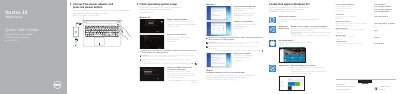
This Dell quick start guide covers the Vostro 15 3000 Series laptop; the computer model printed on the document is Vostro 15-3559 (regulatory model P52F, regulatory type P52F003). It starts with connecting the power adapter and pressing the power button, then walks through finishing operating system setup for Windows 8.1, Windows 7 or Ubuntu: enabling security and updates, connecting to a network, signing in with a Microsoft account or a local account, and setting a Windows password.
The guide also points to Dell apps such as SupportAssist, Backup and Recovery, and Help & Support, and to registering the computer. A features page numbers the camera, microphone, security-cable slot, power button, optical drive, USB 2.0 and USB 3.0 connectors, headset connector, touchpad, speakers, status lights, memory-card reader, VGA connector, network connector, power connector, battery and Service-Tag label, followed by a list of shortcut keys for audio, media playback, display, search, keyboard backlight, brightness, wireless and sleep.
| Computer model | Vostro 15-3559 |
|---|---|
| Regulatory type | P52F003 |
| Operating systems covered | Windows 8.1, Windows 7, Ubuntu |
| USB connectors | USB 2.0 connectors and USB 3.0 connector |
| Video connector | VGA connector |
| Memory-card reader | Included |
| Security | Security-cable slot |
Connect the power adapter and press the power button.
The computer model printed in the guide is Vostro 15-3559, with regulatory model P52F.
Enter the password for the wireless network access when prompted.
Dell directs you to the Owner's Manual at dell.com/support.