
The Dell Latitude 7390 Quick Start Guide provides information on how to use the Dell Latitude 7390 laptop.
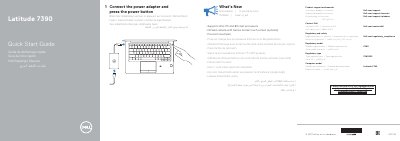
This quick start guide shows how to connect the power adapter and press the power button to start the Dell Latitude 7390. It also lists the computer's features, including optional infrared camera, fingerprint reader, NFC sensor, and smartcard reader components.
The guide provides product support and manual links, regulatory information, and a labeled feature diagram. It is presented in multiple languages, including English, French, Portuguese, Turkish, and Arabic.
| Supported processors | Intel 7th and 8th Gen processors |
|---|---|
| Touch screen | Infrared camera with narrow border touch screen (optional) |
| Touchpad | Precision touchpad |
Connect the power adapter and press the power button.
Visit Dell.com/support and Dell.com/support/manuals.
It supports Intel 7th and 8th Gen processors.
A fingerprint reader is optional.