
Quick Start Guide for Dell Venue 8 Pro 3000 Series Tablet.
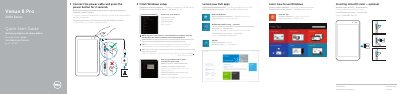
This guide helps you power on and set up your Dell Venue 8 Pro 3000 Series tablet. Connect the power cable, press the power button, and complete Windows setup. Connect to your network by selecting your Wi-Fi network and entering the password if required. The tablet includes features like a front and rear camera, ambient light sensor, speaker, and microSD card slot. For support, visit dell.com/support.
Enter the wireless network password when prompted during setup.
It includes a front and rear camera, ambient light sensor, speaker, microSD card slot, microphone, volume buttons, Windows button, battery-charging status light, micro-USB port, power button, headset port, and regulatory label.