
The Dell Vostro 3667/3668 Quick Start Guide provides information on how to set up and use your Dell Vostro 3667/3668 computer.
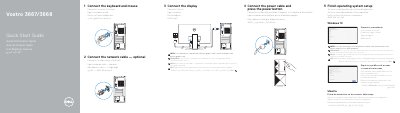
The Dell Vostro 3667/3668 Quick Start Guide explains how to set up the desktop computer, including connecting the keyboard, mouse, optional network cable, display, and power cable. It also covers completing Windows 10 or Ubuntu setup, connecting to a network, signing in to a Microsoft account, and locating Dell apps such as SupportAssist.
| Hard drive activity light | Present |
|---|---|
| USB 3.0 ports | Present |
| Power diagnostics light | Present |
| Security cable slot | Present |
| Memory card reader | Present |
Connect the display to the discrete graphics card.
It checks and updates your computer.
Vostro-3667/3668.