
Dell Latitude 12 5000 Series E5270 Laptop Quick Start Guide

Dell Latitude 12 5000 Series E5270 Laptop Quick Start Guide.
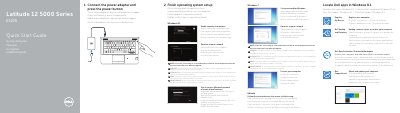

Dell Latitude 12 5000 Series E5270 Laptop Quick Start Guide - cover page
Brand
DELL
Category
Laptops
Document type
Quick Start Guide
Language
English
Pages
2
File format
PDF
File size
1 MB
Published
25 November, 2023
Updated
25 November, 2023
MD5 checksum
D09B9A6AC5208EBBCAF7B9BB88B00754

About this manual

This Quick Start Guide covers the Dell Latitude 12 5000 Series E5270 laptop. It explains how to connect the power adapter, press the power button, and complete operating system setup for Windows 7, Windows 8.1, or Ubuntu.

The document also lists the computer's features and connectors, such as USB 3.0 ports, HDMI, VGA, SD card reader, and smart card reader, and provides Dell support and regulatory information.

What's inside

  • Connect the power adapter and press the power button
  • Locate Dell apps in Windows 8.1
  • Register My Device
  • Dell Backup and Recovery
  • Dell SupportAssist
  • Finish operating system setup
  • Features
  • Product support and manuals
  • Regulatory and safety

Frequently asked questions

How do I start the Dell Latitude 12 E5270?

Connect the power adapter and press the power button.

Where can I find Dell support and manuals?

Visit Dell.com/support, Dell.com/support/manuals, Dell.com/support/windows, or Dell.com/support/linux.

Download PDF (1 MB)

More DELL Manuals


View all DELL manuals →