
Dell Inspiron 15 3000 Series Quick Start Guide.
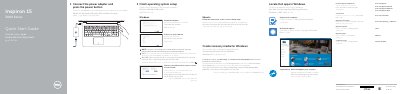
The Dell Inspiron 15 3000 Series Quick Start Guide provides setup steps for the Inspiron 15-3558 computer. It covers connecting the power adapter, finishing operating system setup, connecting to a network, signing in to a Microsoft account or creating a local account, locating Dell apps, and creating recovery media for Windows.
The guide also lists shortcut keys and identifies the computer's ports and features, including USB, HDMI, network, headset, media-card reader, and security-cable slot. It points to Dell support pages for specifications and product manuals. The text is provided in English, Spanish, Vietnamese, and Arabic.
| USB 3.0 port | Yes |
|---|---|
| USB 2.0 ports | 2 |
| HDMI port | Yes |
| Media-card reader | Yes |
| Headset port | Yes |
| Security-cable slot | Yes |
Connect the power adapter and press the power button.
Connect to your network; if the network is secured, enter the wireless network password when prompted.
In Windows search, type Recovery, click Create a recovery media, and follow the instructions on the screen.
Dell provides product support at Dell.com/support and manuals at Dell.com/support/manuals.