
Dell Vostro 15 3000 Series (Vostro 15-3558/3559) Quick Start Guide

The Dell Vostro 15 3000 Series Quick Start Guide provides information on how to use the notebook.
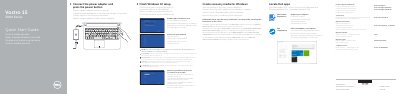

Dell Vostro 15 3000 Series (Vostro 15-3558/3559) Quick Start Guide - cover page
Brand
DELL
Category
Laptops
Document type
Quick Start Guide
Language
English
Pages
2
File format
PDF
File size
408 KB
Published
25 November, 2023
Updated
25 November, 2023
MD5 checksum
6D951DC9CAEE16A7685DC9EEC545F22E

About this manual

Provides step-by-step setup instructions for the Dell Vostro 15 3000 Series, including connecting power, completing Windows 10 setup, enabling support and protection, connecting to a network, signing in, creating recovery media, and locating Dell apps.

Also identifies laptop features and shortcut keys, and lists regulatory model P52F, regulatory type P52F001/P52F003, and computer model Vostro 15-3558/3559.

What's inside

  • Connect the power adapter and press the power button
  • Finish Windows 10 setup
  • Enable Support and Protection
  • Connect to your network
  • Sign in to your Microsoft account or create a local account
  • Create recovery media for Windows
  • Locate Dell apps
  • Features
  • Shortcut keys
  • Regulatory and safety

Specifications

Regulatory modelP52F
Regulatory typeP52F001/P52F003
Computer modelVostro 15-3558/3559

Frequently asked questions

How do I create recovery media for Windows?

In Windows search, type Recovery, click Create a recovery media, and follow the instructions on the screen.

What should I do when connecting to a secured wireless network?

Enter the password for the wireless network access when prompted.

What is the computer model?

The computer model is Vostro 15-3558/3559.

Download PDF (408 KB)

More DELL Manuals


View all DELL manuals →