
Dell Inspiron 15-3558 Laptop Quick Start Guide.
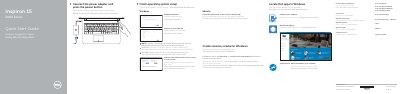
This Dell Inspiron 15-3558 quick start guide provides initial setup steps for the laptop. It covers connecting the power adapter, finishing operating system setup, connecting to a network, signing in to a Microsoft account or creating a local account, and creating recovery media for Windows.
The guide also lists the computer's features and shortcut keys, with product support, regulatory, and safety links. The text is provided in English, Indonesian, and Vietnamese.
| Computer model | Inspiron 15-3558 |
|---|---|
| Regulatory model | P47F |
| Regulatory type | P47F001 |
| USB 2.0 ports | 2 |
Connect the power adapter and press the power button.
Enter the password for the wireless network access when prompted.
In Windows search, type Recovery, click Create a recovery media, and follow the instructions on the screen.
Follow the instructions on the screen to finish setup.