
Dell Vostro 15 3000 Series Laptop Quick Start Guide

Dell Vostro 15 3000 Series Laptop Quick Start Guide
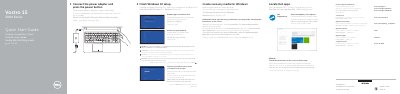

Dell Vostro 15 3000 Series Laptop Quick Start Guide - cover page
Brand
DELL
Category
Laptops
Document type
Quick Start Guide
Language
English
Pages
2
File format
PDF
File size
564 KB
Published
25 November, 2023
Updated
25 November, 2023
MD5 checksum
0EC2E2B1511426978197B23C1A142C33

About this manual

The Dell Vostro 15-3568 Quick Start Guide provides essential instructions for setting up the laptop, including connecting power, completing Windows 10 setup, and creating recovery media.

It includes a detailed map of the device's hardware features, such as ports and sensors, as well as a reference for the keyboard's multimedia and system shortcut keys.

What's inside

  • Connect the power adapter
  • Create recovery media for Windows
  • Locate Dell apps
  • Finish Windows 10 setup
  • Features
  • Shortcut keys

Frequently asked questions

How do I create recovery media for Windows on this laptop?

In Windows search, type Recovery, click Create a recovery media, and follow the on-screen instructions.

What should I do if I connect to a secured wireless network during setup?

Enter the password for the wireless network access when prompted.

Download PDF (564 KB)

More DELL Manuals


View all DELL manuals →