
Dell laptop quick start guide.
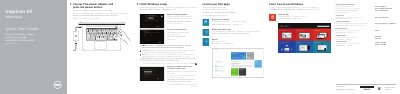
This Dell Inspiron 14 3000 Series quick start guide provides initial setup steps for the Inspiron 14-3451 and Inspiron 14-3458 laptops. It shows how to connect the power adapter, press the power button, finish Windows setup, locate Dell apps, connect to a network, enable security and updates, and sign in with a Microsoft account or create a local account.
The guide also covers registering the computer, Dell Backup and Recovery, product support links, and the laptop features and shortcut keys. The features section identifies the microphone, camera, ports, media-card reader, lights, click areas, battery, battery-release latch, regulatory label, and Service Tag label.
| Computer model | Inspiron 14-3451 and Inspiron 14-3458 |
|---|---|
| USB 2.0 ports | 2 |
| Network port | Available on Inspiron 3458 only |
| HDMI port | 1 |
| Media-card reader | 1 |
| Power-adapter port | 1 |
| USB 3.0 port | 1 |
Connect the power adapter and press the power button.
The guide lists Inspiron 14-3451 and Inspiron 14-3458.
Dell provides support at dell.com/support and manuals at dell.com/support/manuals.
The features list shows two USB 2.0 ports.