
The Dell Wyse Cloud Client Wyse 3010 Quick Start Guide provides information on how to set up and use the Dell Wyse Cloud Client Wyse 3010.
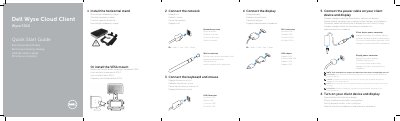
This quick start guide covers initial setup of the Dell Wyse 3010 cloud client. It explains how to connect the keyboard, mouse, display, network cable, and power cable, and how to install the horizontal stand or VESA mount.
The guide also lists device features such as USB 2.0 ports, a DVI-I port, a 10/100/1000 Base-T network port, and a +12V DC power adapter input, and provides Dell support and regulatory websites.
| Network port | 10/100/1000 Base-T |
|---|---|
| Power adapter input | +12V DC |
| Video port | DVI-I (1x DVI-D/1x VGA) |
| USB ports | USB 2.0 (2) |
| SD card slot | Available only on some 3010 devices |
| Regulatory model | Tx0 |
It is ready when the client device activity light goes off.
No, it is available only on some 3010 devices.
Visit dell.com/support and dell.com/support/manuals.
Yes, components may vary based on model and location.