
OptiPlex 3240 All-in-One Quick Start Guide
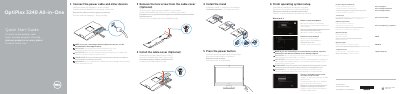
This Dell quick start guide explains how to set up the OptiPlex 3240 All-in-One, including connecting the power cable and other devices, removing the torx screw, installing the optional cable cover, installing the stand, and pressing the power button.
It also covers finishing operating system setup for Windows 8.1, Windows 7, or Ubuntu, connecting to a network, enabling security and updates, signing in to a Microsoft account, and locating Dell apps, with a labeled diagram of buttons, connectors, and the stand.
| Operating system | Windows 8.1 |
|---|---|
| Operating system | Windows 7 |
| Operating system | Ubuntu |
| Video connector | HDMI-out connector |
| USB connector | USB 3.0 connectors |
See the documentation that shipped with it.
It is available at dell.com/support.
Follow the instructions on the screen to finish setup.