
The Dell Vostro 3267/3268 Quick Start Guide provides information on how to set up and use the Dell Vostro 3267/3268 desktop computer.
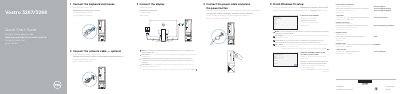
This guide explains how to set up the Dell Vostro 3267/3268 desktop computer. It covers connecting the keyboard and mouse, optional network cable, display, and power cable, then completing Windows 10 setup, including network connection and account sign-in.
It also describes how to create Windows recovery media, locate Dell apps, register the computer, and use SupportAssist. A numbered features list identifies ports, buttons, lights, drive elements, and security features on the computer.
| Regulatory model | D13S |
|---|---|
| Regulatory type | D13S002 |
| Computer model | Vostro 3267/3268 |
| USB port types | USB 2.0 and USB 3.0 |
| Video ports | VGA and HDMI |
| Network port | Network port |
| Expansion card slots | Expansion card slots |
Connect the display, and if the computer was ordered with a discrete graphics card, connect the display to the discrete graphics card.
In Windows search, type Recovery, click Create a recovery media, and follow the instructions on the screen.
Enter the password for wireless network access when prompted.
Support and manuals are available at Dell.com/support and Dell.com/support/manuals.