
Dell Inspiron 660s Quick Start Guide

Dell Inspiron 660s desktop computer, with Intel Core i3-2100 processor, 4GB memory, 500GB hard drive, DVD burner, Windows 7 Home Premium operating system.
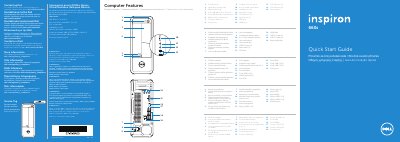

Dell Inspiron 660s Quick Start Guide - cover page
Brand
DELL
Category
Desktops
Document type
Quick Start Guide
Language
English
Pages
2
File format
PDF
File size
1019 KB
Published
25 November, 2023
Updated
25 November, 2023
MD5 checksum
15BF94215FBBC9BC211EAF0899E38A7F

About this manual

This guide helps you set up your Dell Inspiron 660s desktop. Connect peripherals like keyboard, mouse, and display using the labeled ports. Power on the system and complete Windows setup. If you have an optional discrete graphics card, connect the display to its dedicated port.

What's inside

  • Connecting Peripherals
  • Powering On
  • Display Connection
  • Windows Setup
  • Security Settings

Frequently asked questions

How do I connect the display?

Connect the display to the appropriate port: VGA, HDMI, or DVI. If using a discrete graphics card, connect to its dedicated port.

What input voltage range is listed for the computer?

100–127 V CA/200–240 V CA

What input frequency is listed for the computer?

50 Hz/60 Hz

What current rating is listed for the computer?

6 A/3 A

Download PDF (1019 KB)

More DELL Manuals


View all DELL manuals →