
The Latitude 15 3000 Series Quick Start Guide provides instructions on how to connect the power adapter, finish Windows 10 setup, enable support and protection, and connect to a network.
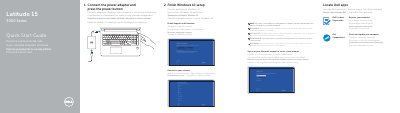
This is the two-page quick start guide for the Dell Latitude 15 3000 Series laptop, identified on the document as computer model Latitude 15-3560 (regulatory model P50F, regulatory type P50F001). The setup steps are printed in English, Croatian, Hungarian, Russian and Serbian, and the guide is dated © 2015 Dell Inc.
The guide walks through connecting the power adapter, finishing Windows 10 setup, connecting to a network, signing in to a Microsoft account or creating a local account, and locating Dell apps such as Dell Product Registration and Dell SupportAssist. A labeled features page lists the camera, microphone, power button, security-cable slot, VGA, USB 2.0 and USB 3.0 connectors, memory card reader, optional fingerprint reader, status lights, speakers, touchpad, headset connector, HDMI connector, network connector, power connector, battery, battery release latch and service-tag label, followed by Dell support and regulatory contact links.
| Computer model | Latitude 15-3560 |
|---|---|
| Regulatory model | P50F |
| Regulatory type | P50F001 |
| USB 3.0 ports | 2 |
| Fingerprint reader | Optional |
| Setup operating system | Windows 10 |
Connect the power adapter and press the power button.
Enter the password for the wireless network access when prompted.
Dell lists Dell.com/support, Dell.com/support/manuals and Dell.com/support/windows for support, manuals and Windows help.
It is listed as an optional feature.