
Dell Tablet Quick Start Guide introduces the features and functions of the product.
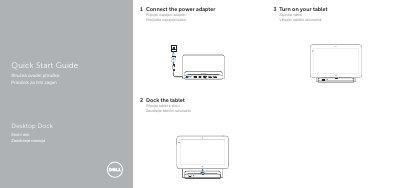
This guide helps you power on and dock your Dell K10A tablet. It includes instructions for connecting the power adapter and using the docking connector. The tablet supports USB 3.0, HDMI, and DisplayPort connections for external devices.
The guide also provides regulatory information for Mexico, including voltage and current specifications, and directs users to Dell’s support and contact pages for further assistance.
| Regulatory Model | K10A |
|---|---|
| Input Voltage | 100 V AC–240 V AC |
| Input Current | 1.30 A |
| Output Voltage | 19.5 V DC |
| Output Current | 2.31 A |
Dock the tablet by connecting it to the desktop dock using the docking connector.
The tablet has USB 3.0, audio, HDMI, and DisplayPort connectors.