
The Dell Wyse Cloud Client Wyse 3030 LT Quick Start Guide provides information on how to install and use the Dell Wyse Cloud Client Wyse 3030 LT.
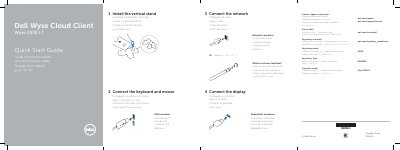
This two-page quick start guide from Dell shows how to set up the Wyse 3030 LT cloud client. The illustrated steps cover installing the vertical stand, connecting the keyboard and mouse, connecting to the network, connecting the display, connecting the power cable to the client device and display, and turning the device on. Step labels are printed in English, Italian, Portuguese, Spanish and Arabic.
The second page lists the features of the client device, including the wireless antenna ports, USB 2.0 and USB 3.0 ports, DisplayPort connectors, power button and activity light, 10/100/1000 Base-T network port, +12 V power adapter input, headset jack and lock receptacle. It also gives the regulatory model (N06D), computer model (Wyse 3030 LT) and Dell support and regulatory compliance web addresses.
| Network port | 10/100/1000 Base-T |
|---|---|
| Power adapter input | +12 V |
| USB 3.0 port | 1 |
| USB 2.0 ports | 2 |
| Wireless antenna port | Optional |
| Regulatory model | N06D / N06D001 |
The client device is ready to use when its activity light goes off.
Dell points to dell.com/support and dell.com/support/manuals, with contact details at dell.com/contactdell.
The display is connected using the DisplayPort connector.
It connects to the +12 V power adapter input on the device.