
OptiPlex 3050 All-in-One Quick Start Guide
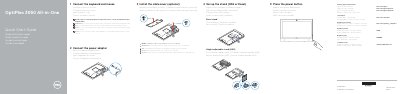
This quick start guide walks through the initial setup of the Dell OptiPlex 3050 All-in-One (regulatory model W18B). It covers connecting the keyboard and mouse, connecting the power adapter, optionally installing the cable cover, setting up the height adjustable stand (HAS) or easel stand, pressing the power button, finishing Windows 7 setup, and protecting the computer.
The guide also identifies the system's features, including dual microphones, an optional webcam with privacy latch and status light, an optional optical drive, on screen display (OSD) buttons, hard drive activity light, power button and power status light, stereo speakers, USB 2.0 and USB 3.0 ports (one with PowerShare), network port, DisplayPort, optional VGA and serial ports, headset port, SD card reader, security cable slot, service tag label, cable routing slot, and cable cover.
The computer can be set up with either a height adjustable stand (HAS) or an easel stand.
No. Installing the cable cover is optional, and securing it with the Torx screw is also optional.
See the documentation that shipped with the wireless keyboard or mouse.
It includes USB 2.0 and USB 3.0 ports (one with PowerShare), a network port, DisplayPort, headset port, and SD card reader; VGA and serial ports are optional.