
The Dell Inspiron 7720 Quick Start Guide provides information on how to use the Dell Inspiron 7720 laptop.
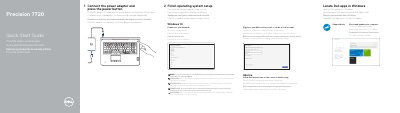
This is Dell's quick start guide for the Precision 7720 computer. It walks through the first steps: connecting the power adapter and pressing the power button, finishing operating system setup for Windows 10 or Ubuntu, connecting to a network (including entering the password for a secured wireless network), and signing in with a Microsoft account or creating a local account. It also shows where to find Dell apps such as SupportAssist in Windows.
The second page lists the computer's features by number, from the microphone, camera and camera status light through the network, power, USB 3.0 with PowerShare, headset, Mini DisplayPort, HDMI and Thunderbolt 3 over Type-C ports, to the touchpad, pointing stick, fingerprint reader, smart card reader, E-Dock connector, service tag label and battery release latch. Support, manual and regulatory links are given, along with the regulatory model P29E, regulatory type P29E002 and computer model Precision 7720. The text is printed in English with Croatian, Hungarian, Russian and Serbian translations.
| Computer model | Precision 7720 |
|---|---|
| Regulatory model | P29E |
| Regulatory type | P29E002 |
| USB ports | USB 3.0 ports with PowerShare |
| Display and video ports | Mini DisplayPort, HDMI port |
| Thunderbolt port | Thunderbolt 3 over Type-C port |
| Card reader | SD Card reader |
| Optional features | Fingerprint reader, contactless smart card reader |
Connect the power adapter and press the power button.
Enter the password for the wireless network access when prompted.
Dell points to Dell.com/support, Dell.com/support/manuals and Dell.com/support/windows.
The guide walks through setup for Windows 10 and Ubuntu.