
Dell Precision Tower 3420 Computer Quick Start Guide

The Dell Precision Tower 3420 Quick Start Guide provides information on how to set up and use the Dell Precision Tower 3420 desktop computer.
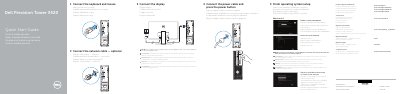

Dell Precision Tower 3420 Computer Quick Start Guide - cover page
Brand
DELL
Category
Desktops
Document type
Quick Start Guide
Language
English
Pages
2
File format
PDF
File size
1.1 MB
Published
25 November, 2023
Updated
25 November, 2023
MD5 checksum
350BAE58A7478607385CDC16A38305E7

About this manual

This Quick Start Guide covers the Dell Precision Tower 3420 computer. It explains how to finish operating system setup, enable security and updates, connect to a network, and sign in to a Microsoft account or create a local account.

The guide also describes connecting the keyboard, mouse, network cable, power cable, and display, and lists front and rear panel features such as USB connectors, audio jacks, and expansion-card slots.

What's inside

  • Finish operating system setup
  • Enable security and updates
  • Connect to your network
  • Connect the keyboard and mouse
  • Connect the display
  • Features
  • Set up password for Windows
  • Protect your computer
  • Register My Device
  • SupportAssist

Specifications

Computer modelDell Precision Tower 3420
USB 2.0 wakeupACPI S5 wakeup

Frequently asked questions

How do I connect the display if my computer has a discrete graphics card?

Connect the display to the discrete graphics card.

What do I do when connecting to a secured wireless network?

Enter the password for the wireless network access when prompted.

How do I finish setup after turning on the computer?

Follow the instructions on the screen to finish setup.

Download PDF (1.1 MB)

More DELL Manuals


View all DELL manuals →