
Dell OptiPlex 3046 Mini Tower Quick Start Guide

Dell OptiPlex 3046 Mini Tower Quick Start Guide
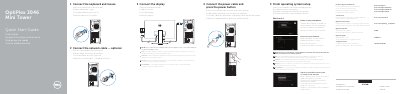

Dell OptiPlex 3046 Mini Tower Quick Start Guide - cover page
Brand
DELL
Category
Desktops
Document type
Quick Start Guide
Language
MUL
Pages
2
File format
PDF
File size
1.2 MB
Published
25 November, 2023
Updated
25 November, 2023
MD5 checksum
83142B22CF0D2F4097C387C91768AFBB

About this manual

This guide shows the basic steps for finishing operating system setup, connecting peripherals and network, and starting the Dell OptiPlex 3046 Mini Tower. It also identifies the computer's front and rear features and connectors.

Additional sections cover Windows password setup, computer protection, Dell applications, registration, backup and recovery, and support resources. Notes address wireless network passwords, discrete graphics card display connections, and Windows 10 upgrade driver requirements.

What's inside

  • Finish operating system setup
  • Enable security and updates
  • Connect to your network
  • Connect the keyboard and mouse
  • Connect the display
  • Features
  • Set up password for Windows
  • Protect your computer
  • Register My Device
  • Dell SupportAssist

Specifications

Regulatory modelD18M
Regulatory typeD18M002
Computer modelOptiPlex 3046 MT

Frequently asked questions

Is connecting the network cable required?

No, connecting the network cable is optional.

Where should the display be connected if the computer has a discrete graphics card?

Connect the display to the discrete graphics card.

What is required when upgrading from Windows 7 32-bit to Windows 10?

A manual installation of the system drivers is required.

Where can Windows 10 and the latest drivers be downloaded?

Visit Dell.com/support and enter the service tag of the system.

Download PDF (1.2 MB)

More DELL Manuals


View all DELL manuals →