
The Dell Latitude 3180 Quick Start Guide provides information on how to set up and use the Dell Latitude 3180 laptop.
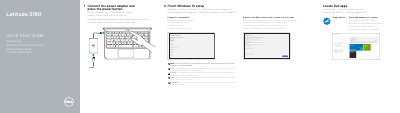
The Dell Latitude 3180 Quick Start Guide gives setup steps for the laptop: finish Windows 10 setup, locate Dell apps, use SupportAssist to check and update the computer, sign in to a Microsoft account or create a local account, connect to a network, then connect the power adapter and press the power button. It also notes that a password is needed when connecting to a secured wireless network.
Page 2 lists the computer features and ports, including camera, microphone, power button, battery status light, audio jack, speakers, touchpad, USB 3.0 ports, HDMI port, microSD card reader, power connector port, and service tag label. It gives Dell support and contact links and lists the computer model as Latitude 3180, with regulatory model P26T and regulatory type P26T002.
| Computer model | Latitude 3180 |
|---|---|
| Regulatory model | P26T |
| Regulatory type | P26T002 |
Connect the power adapter and press the power button.
Locate Dell apps and use SupportAssist to check and update your computer.
Dell provides product support and manuals through Dell.com/support and Dell.com/support/manuals.