
Dell ChengMing 3000 Series Quick Start Guide

Dell ChengMing 3000 Series Quick Start Guide
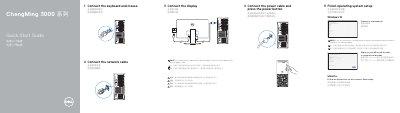

Dell ChengMing 3000 Series Quick Start Guide - cover page
Brand
DELL
Category
Desktops
Document type
Quick Start Guide
Language
Chinese
Pages
2
File format
PDF
File size
802 KB
Published
25 November, 2023
Updated
25 November, 2023
MD5 checksum
5957BA501C136E595242A9DCA2B6EE16

About this manual

This guide helps you set up your Dell ChengMing 3000 series desktop. Connect peripherals, power on, and complete OS setup for Windows 10 or Ubuntu. It also lists hardware features and provides links to support resources.

The guide includes safety warnings, regulatory info, and instructions for creating recovery media and registering your computer. This manual is written in Chinese.

What's inside

  • Connect the keyboard and mouse
  • Connect the network cable
  • Connect the display
  • Connect the power cable and press the power button
  • Finish operating system setup
  • Create recovery media for Windows
  • Locate Dell apps in Windows 10
  • Dell Product Registration
  • SupportAssist
  • Features

Specifications

Rated Voltage100 - 240 volts (AC)
Rated Frequency50 - 60 Hz
Rated Input Current5.4 amps

Frequently asked questions

How do I connect the display?

If your computer has a discrete graphics card, connect the display to the discrete graphics card.

What should I do if connecting to a secured wireless network?

Enter the password for the wireless network access when prompted.

What safety warnings are included?

Do not place the computer horizontally or block the cooling vents. Keep the computer at least 5 cm from walls.

Download PDF (802 KB)

More DELL Manuals


View all DELL manuals →