
This guide describes how to quickly get started with Windows 7.
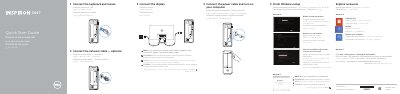
This Quick Start Guide for the Dell Inspiron 3647 computer explains the initial setup steps: connect the keyboard and mouse, optionally connect the network cable, connect the power cable and turn on the computer, and connect the display.
It also covers finishing Windows setup, enabling security and updates, signing in to a Microsoft account, and connecting to your network. Computer features and Dell support contacts are listed at the end.
| USB 2.0 ports | 2 |
|---|---|
| USB 2.0 ports | 4 |
| USB 3.0 ports | 2 |
| Audio ports | 3 |
Connect the display to the discrete graphics card.
No, do not use the @ symbol in your password.
Visit dell.com/support and dell.com/support/manuals.