
Dell Chromebook 13 3380 Quick Start Guide

The Chromebook 13 3380 Quick Start Guide provides instructions on how to connect the power adapter, finish Chromebook setup, connect to a network, and sign in to your Google account.
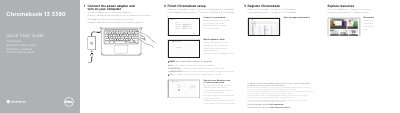

Dell Chromebook 13 3380 Quick Start Guide - cover page
Brand
DELL
Category
Laptops
Document type
Quick Start Guide
Language
English
Pages
2
File format
PDF
File size
425 KB
Published
24 November, 2023
Updated
24 November, 2023
MD5 checksum
FD63D9BB000D33044803031D0691E037

About this manual

This document is a Quick Start Guide for the Dell Chromebook 13 3380. It provides step-by-step instructions for initial setup, including connecting the power adapter, turning on the computer, completing the setup wizard, connecting to a network, waiting for updates, and signing in to a Google account. It also notes that the computer will restart after a Google update.

What's inside

  • Connect the power adapter
  • Finish Chromebook setup
  • Connect to your network
  • Wait for update to finish
  • Sign in to your Google account
  • Register Chromebook
  • Features
  • Hardware ports and buttons

Frequently asked questions

What happens after the Google update?

Your computer will restart after the Google update is finished.

Where can I find information about the Dell Limited Hardware Warranty?

You can find details by visiting the link Dell.com/warranty.

Download PDF (425 KB)

More DELL Manuals


View all DELL manuals →