
Dell Vostro 15 3000 Series Notebook Quick Start Guide

Dell Vostro 15 3000 Series Quick Start Guide
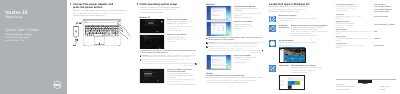

Dell Vostro 15 3000 Series Notebook Quick Start Guide - cover page
Brand
DELL
Document type
Quick Start Guide
Language
English
Pages
2
File format
PDF
File size
1.2 MB
Published
24 November, 2023
Updated
24 November, 2023
MD5 checksum
385CEB358A724A552448650B5593E3BB

About this manual

This guide helps you set up your Dell Vostro 15-3559 notebook quickly. It covers connecting power, locating Dell apps, checking updates, registering your computer, and connecting to a network. It also explains how to set up your Microsoft account or local account, configure password, and connect peripherals. Security and update settings are enabled by default for protection.

What's inside

  • Connect the power adapter and press the power button
  • Locate Dell apps in Windows 8.1
  • Check and update your computer
  • Register your computer
  • Connect to your network
  • Set up password for Windows
  • Protect your computer
  • Features
  • Shortcut keys

Frequently asked questions

How do I connect to a secured wireless network?

Enter the password for the wireless network access when prompted.

How do I set up my Microsoft account or local account?

Sign in to your Microsoft account or create a local account.

What are the shortcut keys for audio and volume?

Mute audio, decrease volume, increase volume.

Download PDF (1.2 MB)

More DELL Manuals


View all DELL manuals →