
Dell Venue 10 7040 Tablet Quick Start Guide

The Dell Venue 10 tablet quick start guide.
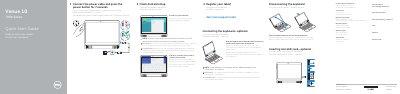

Dell Venue 10 7040 Tablet Quick Start Guide - cover page
Brand
DELL
Category
Tablets
Document type
Quick Start Guide
Language
English
Pages
2
File format
PDF
File size
459 KB
Published
24 November, 2023
Updated
24 November, 2023
MD5 checksum
9B1603FCC7FF99EA9C37178986976722

About this manual

This document serves as a Quick Start Guide for the Dell Venue 10 7040 tablet. It provides initial setup instructions, including connecting the power cable, completing the Android setup, and registering the device. The guide is presented in English, French, and German.

What's inside

  • Inserting microSD card
  • Connecting the keyboard
  • Disconnecting the keyboard
  • Shortcut keys
  • Features

Specifications

Regulatory modelT13G
Regulatory typeT13G001
Product typeTablet

Frequently asked questions

How do I connect the power?

Connect the power cable and press the power button for 7 seconds.

Is the keyboard included?

A keyboard may not be shipped with the tablet depending on the configuration you ordered.

Download PDF (459 KB)

More DELL Manuals


View all DELL manuals →