
Dell Latitude 5580 Quick Start Guide

Dell Latitude 5580 Quick Start Guide
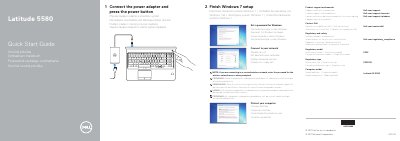

Dell Latitude 5580 Quick Start Guide - cover page
Brand
DELL
Category
Laptops
Document type
Quick Start Guide
Language
English
Pages
2
File format
PDF
File size
261 KB
Published
24 November, 2023
Updated
24 November, 2023
MD5 checksum
21FCB8A4AD3FA9D1AF99F6D74FC3C704

About this manual

This document serves as a Quick Start Guide for the Dell Latitude 5580 laptop. It provides multilingual instructions for connecting the power adapter, completing the Windows 7 setup, setting a password, and connecting to a network. It also directs users to Dell's support website for further assistance.

What's inside

  • Connect the power adapter
  • Finish Windows 7 setup
  • Set a password for Windows
  • Connect to your network
  • Protect your computer
  • Product support and manuals
  • Features

Specifications

Regulatory modelP60F
Regulatory typeP60F001
Computer modelLatitude 15-5580

Frequently asked questions

Where can I find product support and manuals?

You can find product support and manuals at Dell.com/support or Dell.com/support/manuals.

How do I connect to a secured wireless network?

When prompted, enter the password for the wireless network access.

Download PDF (261 KB)

More DELL Manuals


View all DELL manuals →