
Dell Wyse 3030 LT Cloud Client Quick Start Guide

The Dell Wyse Cloud Client Wyse 3030 LT Quick Start Guide provides information on how to install and use the Dell Wyse Cloud Client Wyse 3030 LT.
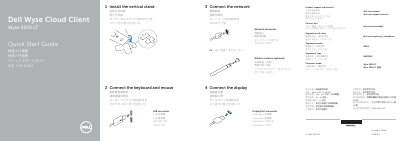

Dell Wyse 3030 LT Cloud Client Quick Start Guide - cover page
Brand
DELL
Category
Other Computer Accessories
Document type
Quick Start Guide
Language
English
Pages
2
File format
PDF
File size
309 KB
Published
24 November, 2023
Updated
24 November, 2023
MD5 checksum
57016855731ACF62A5A0542B482A50F7

About this manual

This guide provides quick start instructions for the Dell Wyse 3030 LT Cloud Client. It details how to install the optional vertical stand and connect the necessary peripherals, including the network, display, keyboard, and mouse. The document also covers the initial power-on sequence and identifying device readiness.

What's inside

  • Install the vertical stand
  • Connect the network
  • Connect the display
  • Connect the keyboard and mouse
  • Connect the power cable
  • Turn on your client device
  • Features
  • Regulatory and safety

Specifications

Network port speed10/100/1000 Base-T
Power adapter input+12V
Video interfaceDisplayPort
Audio interfaceHeadset jack

Frequently asked questions

When is the client device ready to use?

The client device is ready to use when the client device activity light goes off.

Is the wireless antenna required?

No, the wireless antenna is optional.

Download PDF (309 KB)

More DELL Manuals


View all DELL manuals →