
Dell Latitude 14 3000 Series Notebook Quick Start Guide

Dell Latitude 14 3000 Series Notebook Quick Start Guide
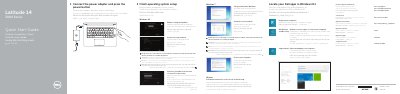

Dell Latitude 14 3000 Series Notebook Quick Start Guide - cover page
Brand
DELL
Category
Laptops
Document type
Quick Start Guide
Language
English
Pages
2
File format
PDF
File size
580 KB
Published
24 November, 2023
Updated
24 November, 2023
MD5 checksum
AF8643D03EA8828029E08E4DAF4FD2A3

About this manual

The Dell Latitude 14-3460 Quick Start Guide provides basic instructions for setting up the notebook, including connecting power, completing operating system setup, and connecting to a network.

It also includes a detailed map of the device's hardware features, such as ports, indicators, and input devices.

What's inside

  • Connect the power adapter
  • Finish operating system setup
  • Connect to your network
  • Sign in to your Microsoft account
  • Locate your Dell apps
  • Features

Frequently asked questions

What should I do if I connect to a secured wireless network?

Enter the password for the wireless network access when prompted.

What is the regulatory model of the Dell Latitude 14-3460?

The regulatory model is P63G.

What is the regulatory type of the Dell Latitude 14-3460?

The regulatory type is P63G001.

What is the computer model of the Dell Latitude 14-3460?

The computer model is Latitude 14-3460.

Download PDF (580 KB)

More DELL Manuals


View all DELL manuals →