
Dell Vostro 3578 Laptop Quick Start Guide
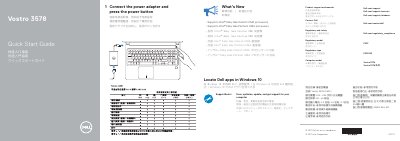
This document serves as a quick start guide for the Dell Vostro 3578 laptop. It provides instructions on connecting the power adapter and pressing the power button to turn on the device. The guide also directs users to Dell's support website for additional manuals and product support.
| Processor Support | Intel Kaby Lake Celeron UMA processors |
|---|---|
| Processor Support | Intel Kaby Lake Pentium UMA processors |
| Rated Voltage | 100 - 240 Volts AC |
| Rated Frequency | 50 - 60 Hz |
| Rated Input Current | 1.3 - 1.7 Amps |
Connect the power adapter and press the power button.
Visit Dell.com/support or Dell.com/support/manuals.
It supports Intel Kaby Lake Celeron and Pentium UMA processors.