
Dell Inspiron 3655 Quick Start Guide

Dell Inspiron 3655 Quick Start Guide
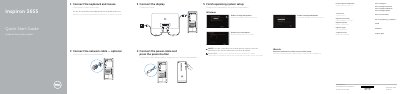

Dell Inspiron 3655 Quick Start Guide - cover page
Brand
DELL
Category
Desktops
Document type
Quick Start Guide
Language
English
Pages
2
File format
PDF
File size
631 KB
Published
24 November, 2023
Updated
24 November, 2023
MD5 checksum
1F85BE441FC38E1EE1B0827E7F1050AE

About this manual

This document provides instructions for the initial setup of the Dell Inspiron 3655 computer. It details the steps to connect peripherals such as the keyboard, mouse, and network cable, followed by connecting the power and display. Users are then guided to complete the operating system setup, which includes enabling security and updates, and connecting to a network.

What's inside

  • Connect the keyboard and mouse
  • Connect the network cable
  • Connect the power cable
  • Connect the display
  • Finish operating system setup
  • Features
  • Locate your Dell apps in Windows

Specifications

Regulatory modelD20M
Regulatory typeD20M001
Computer modelInspiron 3655
USB 3.0 ports2
USB 2.0 ports4
Audio ports3

Frequently asked questions

What should I do if I am connecting to a secured wireless network?

Enter the password for the wireless network access when prompted.

How do I enable security and updates?

Follow the on-screen instructions to enable security and updates.

Download PDF (631 KB)

More DELL Manuals


View all DELL manuals →