
The Dell Inspiron 3655 Quick Start Guide describes how to connect the keyboard and mouse, connect the network cable, connect the power adapter and press the power button, connect the display, and finish Windows setup.
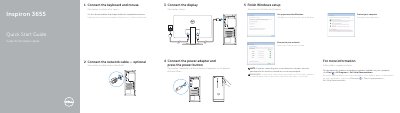
This guide covers the initial setup of the Dell Inspiron 3655 desktop computer. It details the steps to connect essential peripherals such as the keyboard, mouse, network cable, power adapter, and display. It also includes instructions for completing the Windows setup process, including password configuration and network connection. This manual is written in French.
| USB 3.0 ports | 2 |
|---|---|
| USB 2.0 ports | 4 |
| Audio ports | 3 |
| Regulatory model | D20M |
| Regulatory type | D20M001 |
Enter the password for the wireless network access when prompted.
Click Start → All Programs → Dell Help Documentation.