
Dell computer user manual summary: Before setting up and operating your Dell computer, see the safety instructions in the Product Information Guide. For a complete list of features, see your Owner's Manual.
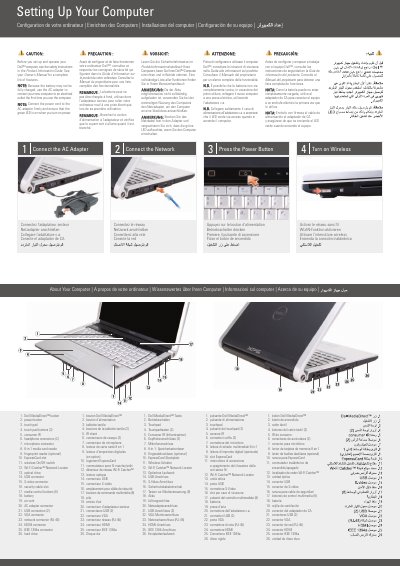
This document provides initial setup instructions for the Dell XPS M1530 computer. It advises users to connect the AC adapter before first use to ensure the battery is fully charged and to verify the green LED is on. The guide includes a numbered list of hardware components located on the computer chassis, such as the power button, touchpad, media card reader, and various ports including USB, VGA, and HDMI.
Use the AC adapter to connect the computer to an electrical outlet because the battery may not be fully charged.
Connect the power cord to the AC adapter firmly and ensure that the green LED is on when you turn on power.
See your Owner's Manual for a complete list of features.