
Dell Vostro 14 3000 Series Laptop Quick Start Guide.
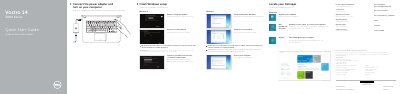
This document serves as a Quick Start Guide for the Dell Vostro 14 3000 Series laptop. It provides bilingual instructions (English and French) for initial setup, including connecting the power adapter, finishing Windows setup, enabling security and updates, and connecting to a network. The guide also covers setting up a password and registering the computer.
| Regulatory model | P65G |
|---|---|
| Regulatory type | P65G001 |
| Computer model | Vostro 14-3458 |
| Input Voltage | 100 V CA–240 V CA |
| Input Current | 1,3 A / 1,6 A / 1,7 A |
| Input Frequency | 50 Hz–60 Hz |
| Output Current | 2,31 A / 3,34 A |
| Output Voltage | 19,5 VCC |
Enter the password for the wireless network access when prompted.
See the Owner's Manual at dell.com/support.