
Dell OptiPlex 3030 All-in-One Quick Start Guide

OptiPlex 3030 All-in-One Quick Start Guide
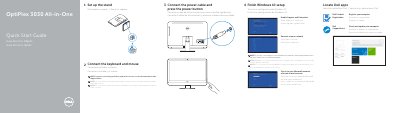

Dell OptiPlex 3030 All-in-One Quick Start Guide - cover page
Brand
DELL
Category
All-in-One Desktops
Document type
Quick Start Guide
Language
English
Pages
2
File format
PDF
File size
350 KB
Published
22 November, 2023
Updated
22 November, 2023
MD5 checksum
C1414BCF21B8F78FB6427E7B09873902

About this manual

This document serves as a Quick Start Guide for the Dell OptiPlex 3030 All-in-One computer. It provides multilingual instructions (English, Portuguese, Spanish) for setting up the stand, connecting the keyboard, mouse, and power cable, and completing the initial Windows 10 setup process. Users are advised to consult separate documentation for wireless peripherals and secured network connections.

What's inside

  • Set up the stand
  • Connect the keyboard and mouse
  • Connect the power cable
  • Locate Dell apps
  • Finish Windows 10 setup
  • Features
  • Product support and manuals
  • Regulatory and safety
Download PDF (350 KB)

More DELL Manuals


View all DELL manuals →