
Dell Latitude 15 3000 Series Notebook Quick Start Guide

The Dell Latitude 15 3000 Series Notebook Quick Start Guide.
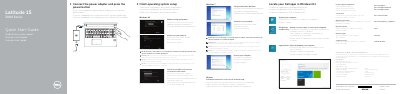

Dell Latitude 15 3000 Series Notebook Quick Start Guide - cover page
Brand
DELL
Category
Laptops
Document type
Quick Start Guide
Language
English
Pages
2
File format
PDF
File size
1.1 MB
Published
22 November, 2023
Updated
22 November, 2023
MD5 checksum
FFD5E24629CFF468B2DF9442FA11799D

About this manual

This document serves as a Quick Start Guide for the Dell Latitude 15 3000 Series notebook. It provides step-by-step instructions in English, French, Portuguese, and Spanish for initial setup tasks, including connecting the power adapter, finishing operating system setup, enabling security updates, connecting to a network, and signing into a Microsoft account. It also guides users on locating Dell applications within Windows 8.1.

What's inside

  • Connect the power adapter
  • Finish operating system setup
  • Enable security and updates
  • Connect to your network
  • Sign in to your Microsoft account
  • Locate your Dell apps
  • Product support and manuals
  • Regulatory and safety
  • Features
  • Help and Tips

Specifications

Input Voltage100 V CA–240 V CA
Input Current (Max)1.7 A
Input Frequency50 Hz–60 Hz
Output Current3.42 A / 4.62 A
Output Voltage19.5 V DC

Frequently asked questions

What should I do if I am connecting to a secured wireless network?

Enter the password for the wireless network access when prompted.

Where can I find more information and manuals?

You can find support and manuals at dell.com/support or dell.com/support/manuals.

Download PDF (1.1 MB)

More DELL Manuals


View all DELL manuals →