
The Dell PowerConnect W-Series SFP Optical Modules Installation Guide describes the features and characteristics of the Dell XFP modules.
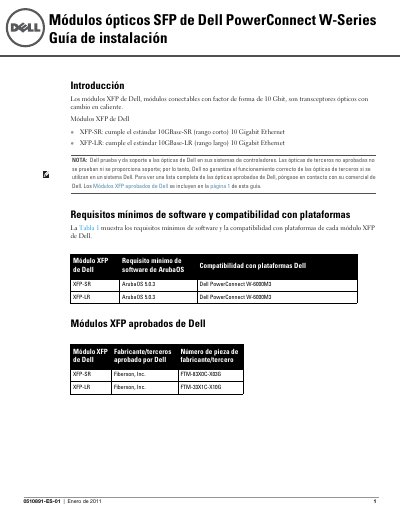
This document provides installation and usage instructions for Dell XFP optical modules compatible with the PowerConnect W-Series network switches. It covers two specific module types: the XFP-SR for short-range 10 Gigabit Ethernet and the XFP-LR for long-range 10 Gigabit Ethernet. The guide details hardware specifications, software requirements, and platform compatibility for these modules. This manual is written in Spanish.
| Connector Type | Fiber Optic LC |
|---|---|
| Wavelength (XFP-SR) | 850 nm |
| Receive Power (XFP-SR) | -1 to -11.1 dBm |
| Transmit Power (XFP-SR) | -7.3 to -1.0 dBm |
| Wavelength (XFP-LR) | 1.310 nm nominal |
| Receive Power (XFP-LR) | 0.5 to -12.6 dBm |
| Transmit Power (XFP-LR) | -8.2 to 0.5 dBm |
The minimum software requirement is ArubaOS 5.0.3.
The XFP-LR module is compatible with the Dell PowerConnect W-6000M3 platform.
The maximum distance is approximately 300 meters when using a 50 μm core with 2.000 MHz/km attenuation.