
The Dell Vostro 3267/3268 Quick Start Guide describes how to connect the keyboard and mouse, connect the network cable (optional), connect the display, connect the power cable and press the power button, and finish Windows 10 setup.
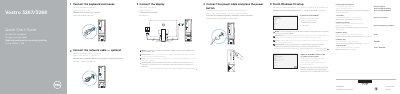
This guide walks through initial setup of the Dell Vostro 3267/3268 computer. It covers connecting the keyboard and mouse, optional network cable, display, and power cable, then finishing Windows 10 setup, connecting to a network, and signing in to a Microsoft account or creating a local account.
It also describes creating Windows recovery media, locating Dell apps, product registration, Dell SupportAssist, and a numbered features diagram identifying ports and components such as USB, VGA, HDMI, network, optical drive, and memory card reader.
| Optical drive | Present |
|---|---|
| Memory card reader | Present |
| VGA port | Present |
| HDMI port | Present |
| USB 2.0 ports | Present |
| USB 3.0 ports | Present |
| Network port | Present |
| Power button | Present |
Connect the display to the discrete graphics card.
Enter the password for the wireless network access when prompted.
In Windows search, type Recovery, click Create a recovery media, and follow the instructions on the screen.