
Inspiron 15 3000 Series Quick Start Guide.
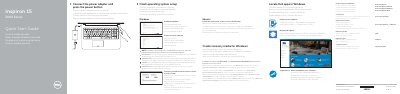
This Dell Inspiron 15 3000 Series Quick Start Guide gives initial setup steps for the Inspiron 15 3000 Series. It says to connect the power adapter and press the power button, then finish operating system setup, enable Dell updates, connect to the network, and sign in to a Microsoft account or create a local account.
The guide also lists features and shortcut keys. It mentions the microphone, camera status light, camera, power adapter port, HDMI port, USB 3.0 port, media-card reader, status lights, click areas, headset port, USB 2.0 ports, optical drive, security-cable slot, power button, regulatory label, battery, battery-release latch, and service tag. Shortcut keys include mute audio, volume controls, playback, display switching, search, brightness, Fn lock, wireless, and sleep.
Connect the power adapter and press the power button.
Enable Dell updates, connect to your network, and sign in to your Microsoft account or create a local account.
The guide lists shortcut keys such as mute audio, volume controls, playback, display switching, search, brightness, Fn lock, wireless, and sleep.